October 8th, 2025
Smarter Offers, Add Your Logos, Add Custom Context & A Faster Experience
Creating Facebook ads shouldn’t be a pain. And thanks to this update—it won’t. Whether you're running your first ad or launching your fiftieth product, this one’s going to make your workflow smoother, smarter, and (dare we say) a bit more fun.
📸 Automatically Add and Manage Images When Creating New Offers
The minute you create a new offer and drop in a URL, WinningAds gets to work in the background. We now automatically scrape the page, find all the visual assets (product shots, logos, etc.), so you can select which images you’ll want to use.
From there:
✅ You can reclassify any image (logo, product, other)
✅ Add or delete images manually
✅ Select which images should be used when generating ads
And here’s the kicker—every ad you generate or recreate will automatically use the right visuals.
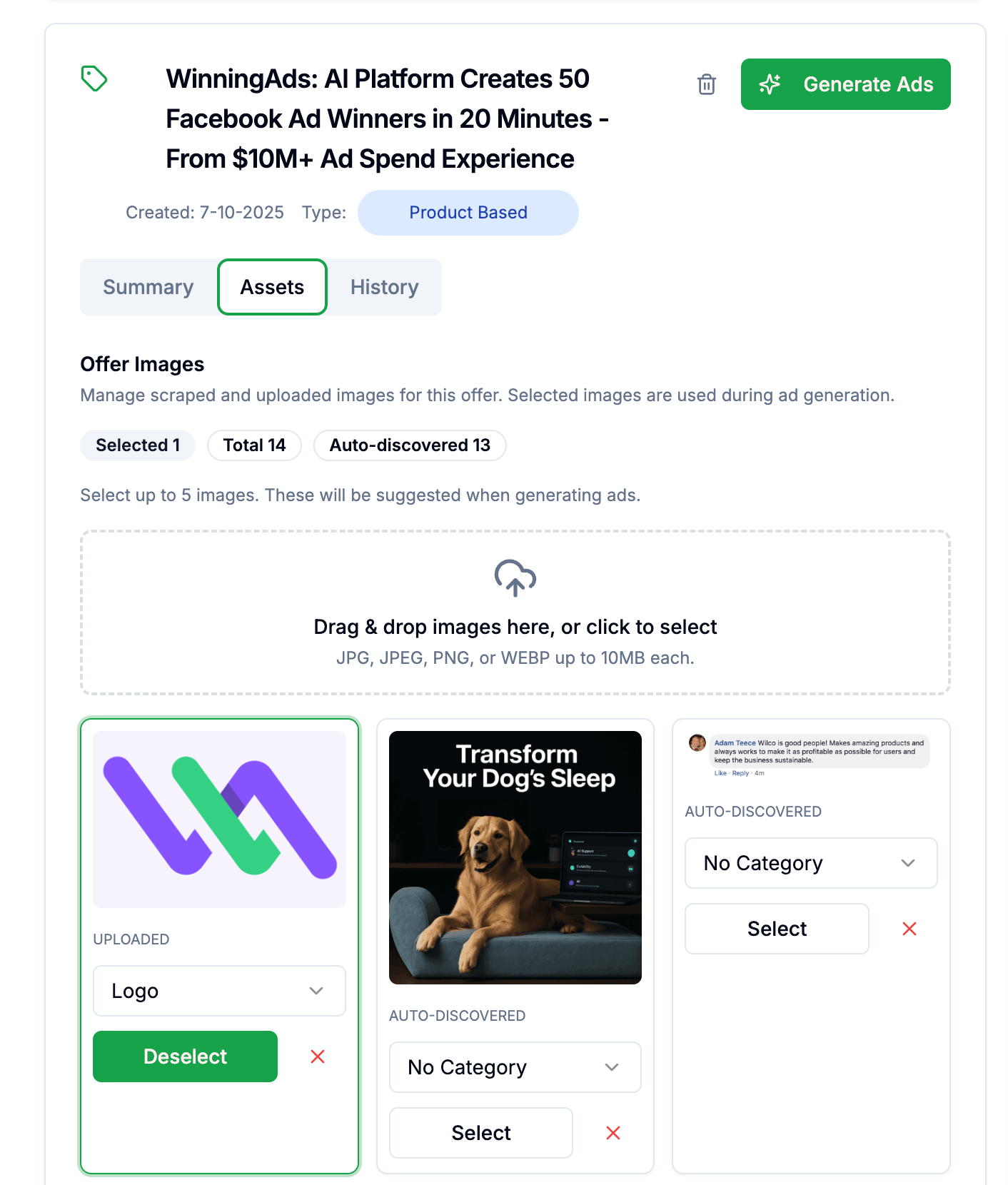
Bonus: “Create Similar Ad” now respects your product images, so every ad includes your product images.
🧠 Add Custom Training Data and Instructions to Guide Ad Generation
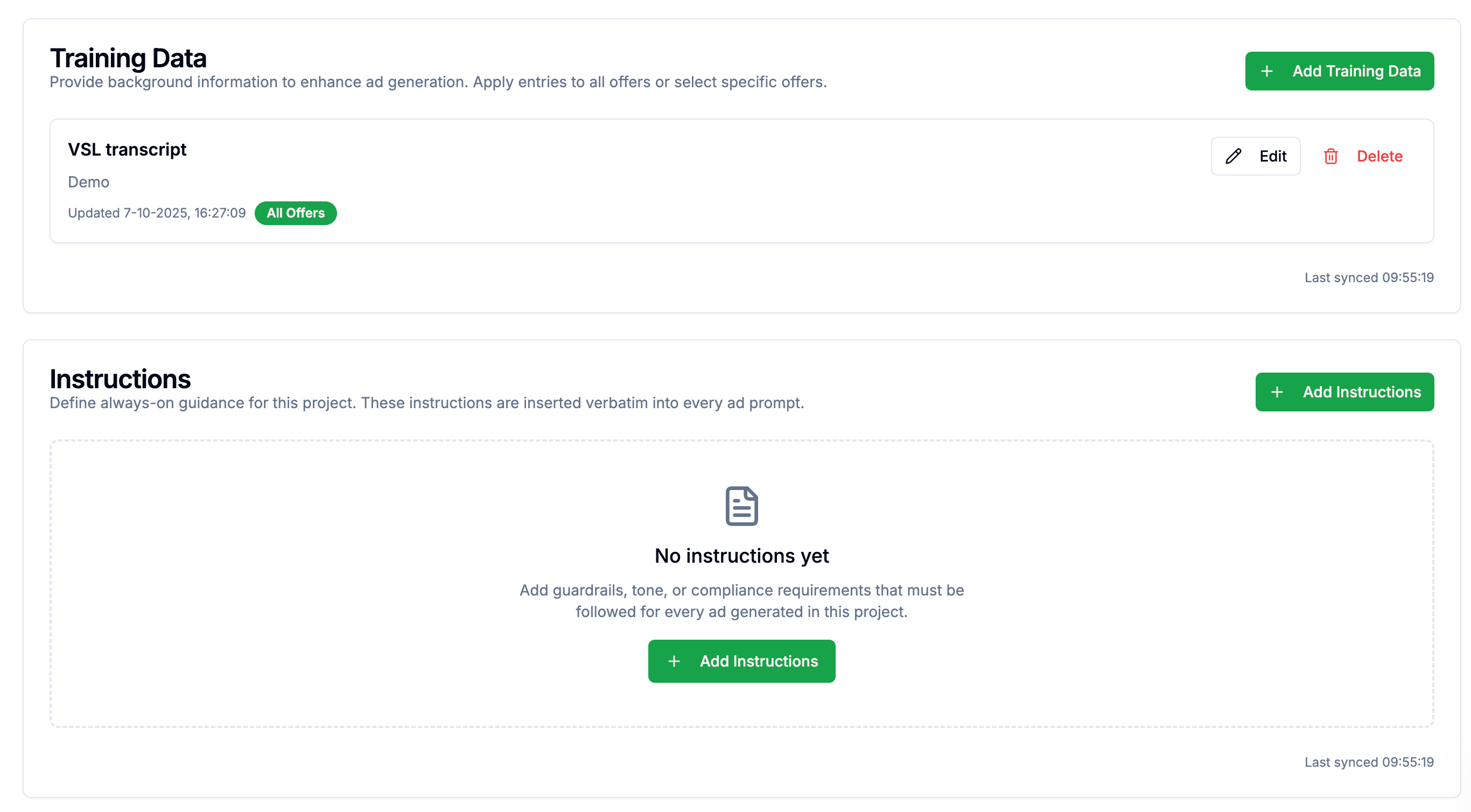
Say hello to Training Data and Instructions, the two newest superpowers in your project settings.
🧾 Training Data = background knowledge
Upload your VSL transcript, customer FAQs, or even Slack notes about your ideal buyer. AI will reference this content whenever it's relevant.
📢 Instructions = hard rules
Brand voice? Legal disclaimers? Specific language you always want included? Instructions are baked into every ad prompt, every time.
Use either (or both) to make sure your ads sound more you - and less “Hi I am ChatGPT and I wrote this at gunpoint.”
You’ll find these options at the “Settings” page of your project.
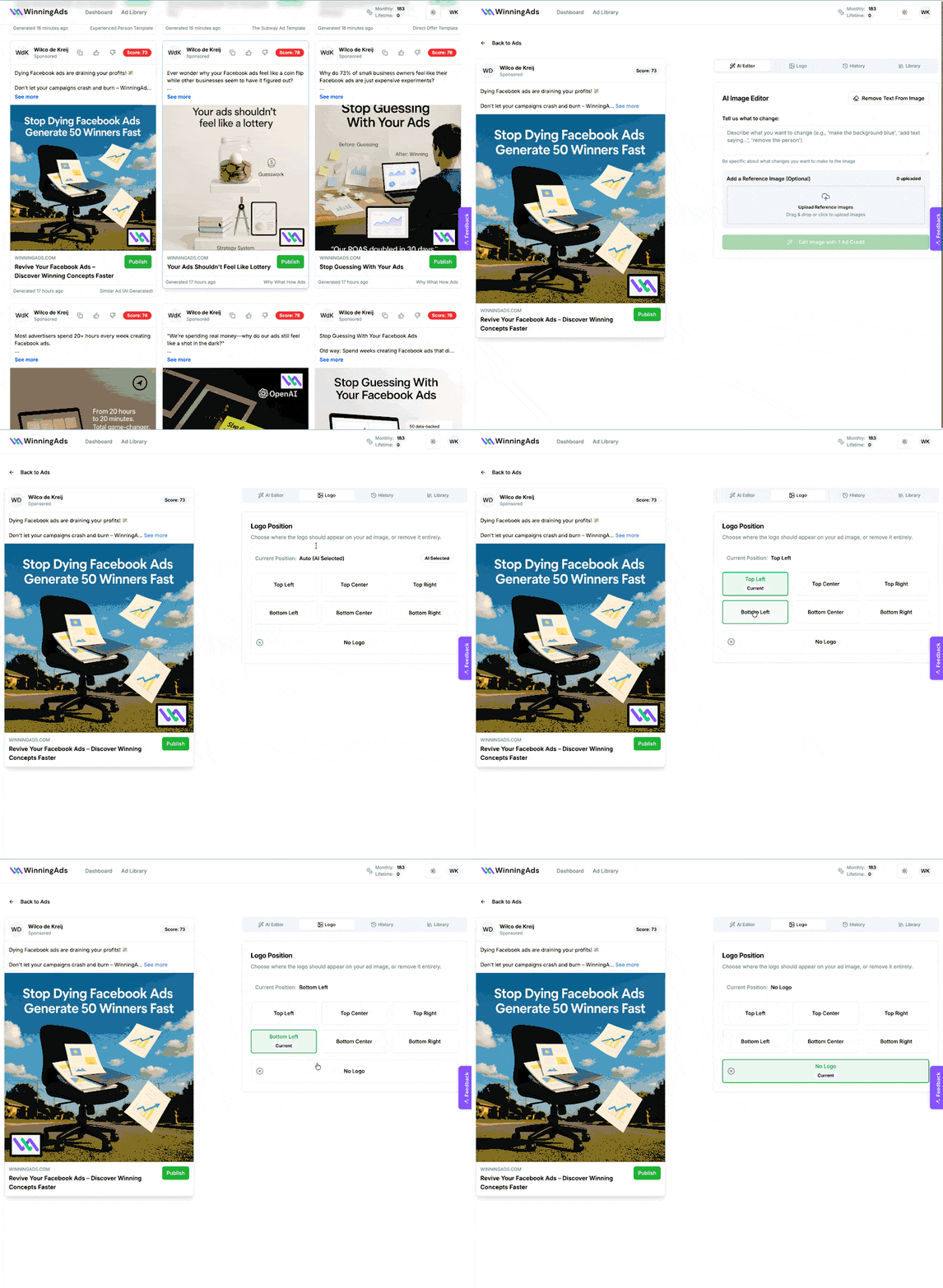
🎯 Upload Your Actual Logo for Accurate Branding
You know what ruins a good ad? An AI-generated squiggly mess pretending to be your logo.
So we fixed that.
Now when your logo is included in an ad:
We place your actual file on the image
AI suggests the best position automatically
You can change logo placement in a click
Or remove it entirely if you prefer a clean look
🕵️♂️ Automatic Meta Policy Checks Now Run in the Background
Remember when you had to wait for compliance checks before hitting “Publish”? Yeah, we didn’t love that either.
Now, every ad is automatically scanned for Meta compliance right after it’s created. You’ll see:
✅ Pass/fail results
📌 Explanation of any issues
🔧 A one-click button to adjust the copy
And yes—when you click the button, we’ll rewrite the ad on the spot to reduce your chances of rejection.
🛠️ Little Fixes That Make a Big Difference
We also snuck in a bunch of usability improvements:
⚡ Faster ad library loading + filtering
🔍 More reliable scraping + image detection
📈 Added offer-level job history so you can see what’s been generated when
Basically: everything feels snappier, smarter, and less likely to make you say “Wait, what just happened?”
We’d Love Your Feedback ❤️
Got feedback? Requests? Weird edge cases? Please let us know - we’re listening and building fast.
Thanks for growing with us 🙌